

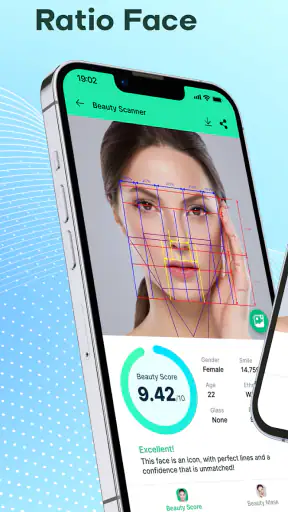
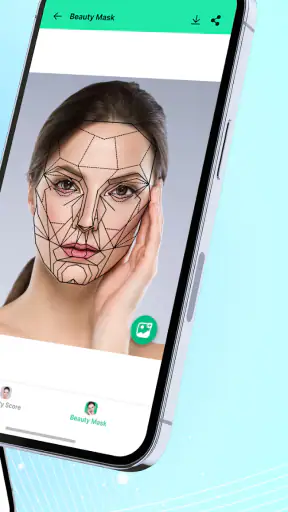
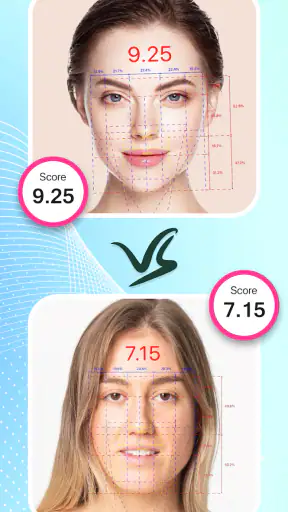
I tried Beauty Scanner - Face Score AI as a quick photography companion rather than as a serious beauty authority. The basic idea is simple: you provide a face image, and the app examines visual traits connected with facial symmetry and the so-called golden ratio before presenting a score. That makes it easy to understand, but the result needs the right context. It is a playful visual analysis, not a medical assessment, professional photography critique, or objective measurement of personal attractiveness.
The app comes from Face Technology Company and sits in the photography category. It is free to install, with optional purchases ranging from $1.99 to $39.99 per item. Its Everyone age rating makes the concept accessible to a broad audience, although I would still encourage younger users to treat the score as entertainment rather than as a judgment about their appearance. With a 3.6 average from around 44 thousand ratings and more than 5 million installs, it has clearly attracted a sizeable audience, even if the reception is mixed enough to suggest that expectations matter.
From taking a photo to understanding the score
Starting with the right image
The quality of the input has a bigger effect on the experience than I first expected. A face turned sharply to one side, partly hidden by hair, or photographed in uneven lighting gives the analysis a weaker starting point. For a more useful comparison, I would begin with a clear, front-facing image where the face is easy to see. That does not make the app scientifically accurate, but it reduces obvious distractions caused by the photograph itself.
This is also where the first practical decision appears: should you use a new selfie or an existing portrait? A new image is convenient when you want to test the process immediately, while an existing photo may be better if it has calmer lighting and a more natural expression. I found that a relaxed, neutral image is more useful than a heavily posed one because it gives you a consistent reference if you later compare another picture.
One useful habit is to keep the camera position similar whenever you repeat the analysis. Changing the distance, angle, expression, or lighting at the same time makes it difficult to know whether a different score reflects your face or simply a different photograph. The app encourages quick experimentation, but a little discipline turns that experimentation into a more meaningful visual comparison.
Moving through the analysis
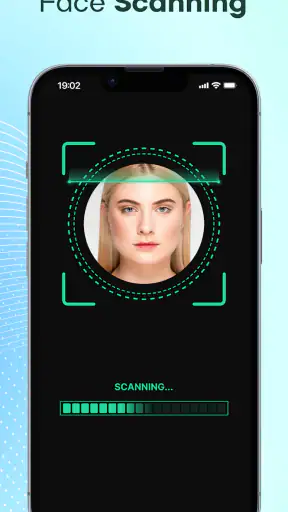
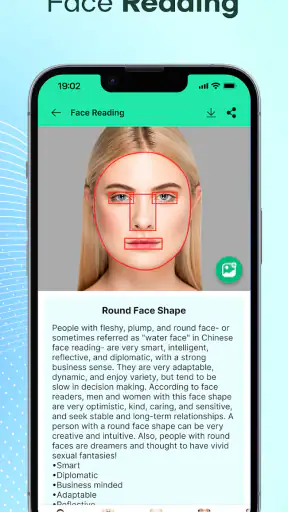
Once the image is supplied, the app’s purpose becomes clear. It processes the face and presents an assessment built around facial symmetry, proportions, and a face score. The golden-ratio language gives the result a familiar visual hook, but I would not treat that concept as a universal formula for beauty. Faces are not design diagrams, and a numerical-looking outcome can feel more authoritative than the underlying idea deserves.
The handoff from image selection to analysis is the central moment in the workflow. You are no longer choosing how the face looks; you are waiting for the app to interpret it. That shift can be entertaining, especially when you are comparing different poses with friends, but it can also create unnecessary suspense. If you already know that lighting and expression can influence the input, the score is easier to enjoy without taking it personally.
I recommend testing one ordinary portrait first rather than immediately trying to optimize the result. That gives you a baseline and helps you understand how the presentation works. Afterward, you can try a better-lit image or a different angle as an experiment. This approach is more revealing than chasing the highest possible number, because it shows how sensitive the output may be to the photograph itself.
What the result is useful for
The most useful outcome is not the score alone. I found more value in using the analysis as a prompt to notice how framing, symmetry, and expression change the appearance of a portrait. Someone learning basic selfie composition could use it as a playful way to compare images, while a person choosing a profile photo might use several candidate pictures and then make the final decision with their own eyes.
For example, imagine preparing a new profile picture before heading to work. You take one image under overhead lighting, another near a window, and a third with the camera held slightly farther away. The app can provide a quick point of comparison, but the practical lesson is that the window-lit portrait may look more natural even if its score is not the highest. In that situation, the tool helps you inspect the process, while your judgment remains the important handoff.
That distinction matters because a score cannot capture personality, warmth, style, context, or whether a photo actually represents you well. A technically balanced face may still produce an unappealing portrait if the expression feels stiff. Conversely, a lively image with an unusual angle may be more memorable and useful than a supposedly optimized one. I would use the app to generate observations, not to make the decision for me.
Comparing it with ordinary photography tools
Compared with a standard camera or selfie editor, this app has a narrower purpose. A camera gives you control over composition and capture, while an editor usually helps with color, cropping, exposure, or retouching. Beauty Scanner focuses instead on interpreting the face after the image exists. That makes it more specialized, but also less useful when your real problem is poor lighting, distracting background detail, or an awkward crop.
Compared with a general face-retouching app, it also takes a different approach. Retouching tools let you change the image, whereas this experience is primarily about receiving an assessment. I prefer that separation when I want to understand how a portrait reads before making edits. If your priority is producing a polished final photo quickly, a conventional editor may be the better first stop.
The app is also not a substitute for a professional portrait photographer. A photographer can direct posture, light, expression, lens choice, and setting in a connected workflow. Beauty Scanner sees the submitted image and returns its own interpretation. That is useful for casual experimentation, but it cannot replace human feedback when the photograph matters for work, branding, or an important personal occasion.
Managing the handoffs and optional spending
The free entry point makes it easy to try the core idea before deciding whether it fits your habits. Optional in-app purchases are present, with individual items priced from $1.99 up to $39.99. I would approach those purchases carefully and first decide whether the basic analysis genuinely adds value to your routine. A novelty tool can be enjoyable without becoming something you need to pay repeatedly to keep using.
The important handoff here is from curiosity to commitment. It is easy to think that an additional result, deeper interpretation, or extended use will answer a question that the first score did not settle. In practice, no extra result can turn a subjective beauty concept into a complete judgment of a person. Before spending, I would ask whether the purchase improves a practical photography workflow or merely encourages more score checking.
Because the app deals with faces, I would also be selective about the images I submit. I would avoid using photographs of other people without their permission, especially children or coworkers. Even when the activity feels harmless, a face is personal, and responsible use is part of getting comfortable with any image-analysis tool. That is a sensible habit regardless of whether you use the app once or return to it regularly.
Who will enjoy this workflow
I think the app suits curious users who enjoy visual experiments and want a fast way to compare portraits. It can be fun in a small group, useful for testing how a neutral expression differs from a smile, and mildly educational for someone beginning to think about symmetry and framing. It is also a low-commitment way to explore the language of facial proportions without learning a complex editing program.
It may be especially helpful for users who struggle to choose between several selfies. Instead of endlessly switching between images in the gallery, you can use the analysis as one extra opinion and then check the photos at normal size. The non-obvious benefit is that the process can reveal how much your result depends on capture conditions. That can encourage better habits with distance, lighting, and consistency rather than endless retouching.
I would not recommend building self-esteem around it. Anyone who is already anxious about appearance may find repeated scoring unhelpful, particularly if a lower result changes their mood. The app’s framing can make a subjective interpretation feel like a verdict, even though the image and the criteria are limited. In that situation, a trusted friend, a portrait professional, or simply choosing the photo that feels most like you would be healthier and more useful.
Where the flow breaks down
The main weakness is the gap between the neatness of a score and the complexity of a real face. Symmetry and proportions can be interesting visual ideas, but they do not explain why one portrait feels inviting and another feels distant. The result may also encourage users to optimize for the app rather than for the audience or situation that actually matters. That is a poor trade-off when the image is intended for a professional profile, a dating profile, or a family memory.
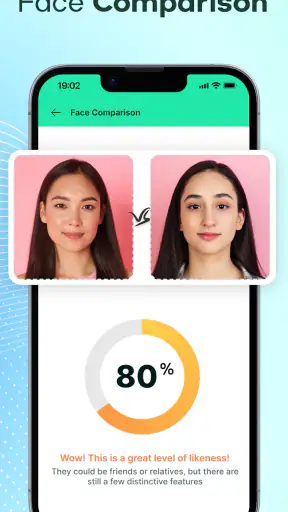
Input inconsistency is another source of friction. A small change in camera height or facial expression can alter the visual structure presented to the analysis. If you compare two images without controlling those factors, the outcome becomes difficult to interpret. My workaround is simple: use similar lighting, keep the phone at roughly the same height, and compare only one change at a time. That turns a vague test into a more understandable experiment.
The app is less suitable when you need editing control, detailed photographic instruction, or a reliable technical measurement. In those cases, a camera app with manual controls, an editor with cropping and lighting tools, or feedback from an experienced photographer would serve you better. Beauty Scanner is strongest as a quick interpretive layer placed after taking a photo, not as a complete portrait-making system.
There is also a psychological friction that technical alternatives do not always create. A crop or exposure value feels like information about an image; a beauty score can feel like information about the person. I think users should keep that boundary visible. Treat the output as a temporary opinion about one captured frame, never as a definition of your face or your value.
Device support and day-to-day practicality
The current version is 16.0.7, and the app supports Android 7.0 or later. That gives it a reasonably broad reach for Android users with older compatible devices, although the experience can still vary with camera quality, screen size, and general device performance. If you are installing it on an older phone, I would keep expectations focused on the analysis itself rather than assuming it will feel identical to a newer handset.
As a free photography app with an Everyone rating, it is easy to place in the casual-use category. You can open it when you have a specific image question, try a few comparisons, and leave without needing to reorganize your entire photo workflow. That convenience is its strongest everyday quality. It does not need to become a permanent habit to be useful once or twice.
My preferred workflow is to select a private, well-lit portrait, run the analysis once, note what changes when I adjust the framing, and then return to the original photos. I would save the image I genuinely like rather than the one that appears to satisfy the score most closely. This keeps the app in its proper role: a way to inspect a photograph, not a replacement for taste or confidence.
My final take after using it
Beauty Scanner - Face Score AI is an approachable experiment for people who are curious about facial symmetry, proportions, and the way small photographic choices affect a portrait. I like that it gives the user a focused question to explore instead of pretending to be a full camera studio. The free starting point also lowers the barrier to trying it, while the broad Android compatibility makes it practical for many users.
At the same time, I would keep its claims in perspective. The score is not a complete measure of beauty, identity, health, or photographic quality. Its best use is controlled comparison: take similar images, change one element, observe the result, and then make a human decision based on the purpose of the photo. Its weakest use is repeated reassurance-seeking or treating the output as an objective ranking.
My recommendation is therefore conditional but positive. If you enjoy playful photography tools and can treat the analysis as one opinion, it is worth trying. If you need professional portrait guidance, detailed editing, or emotionally neutral feedback about appearance, choose a different tool or a real person. Use the score to learn about the picture, not to judge yourself. That mindset turns a potentially superficial app into a small, practical exercise in better photo selection.


